


MetaTrader 5
macOS 版 MetaTrader 5
適用於 Mac 的 MT5 桌面版體驗。
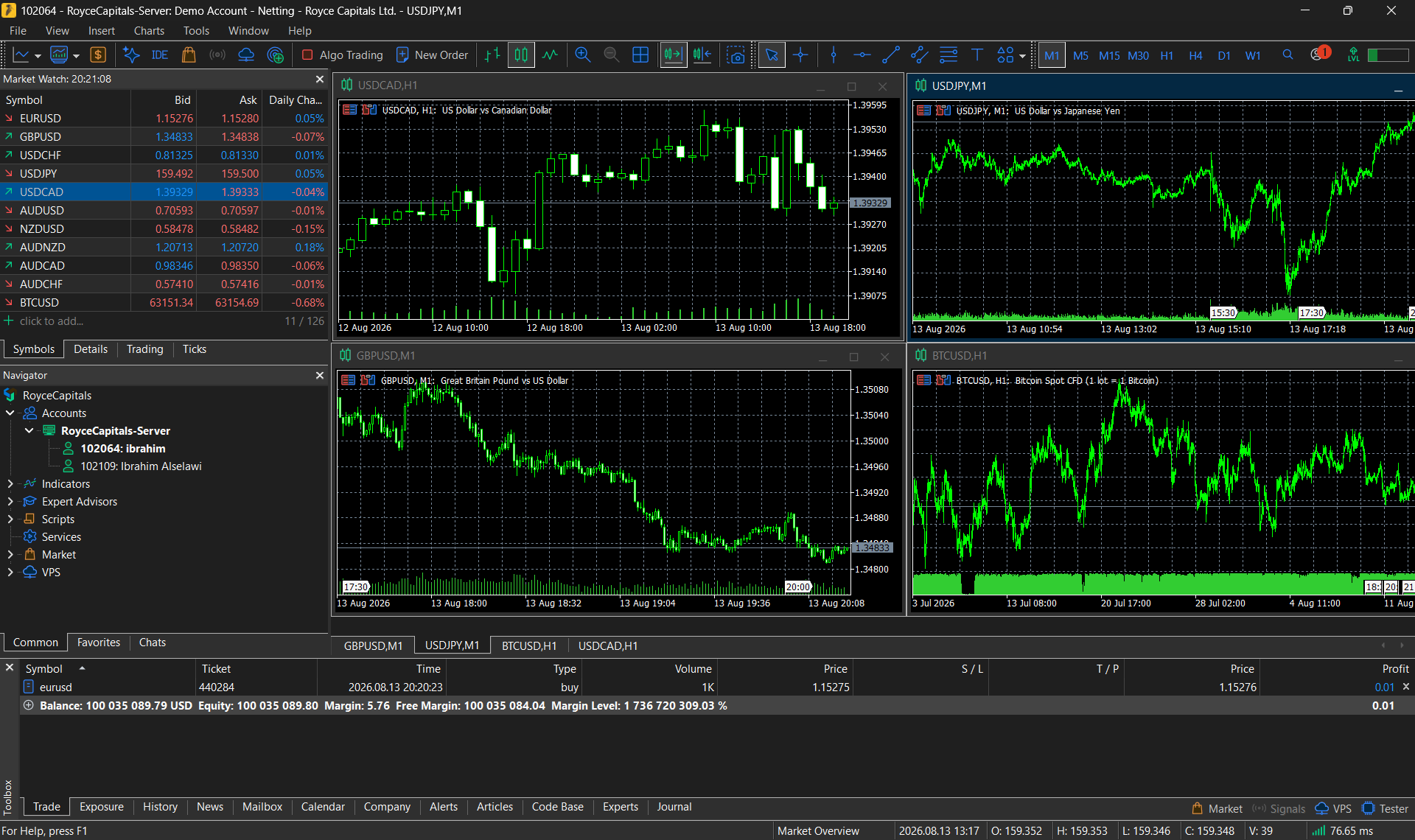
透過您的 Mac 使用 MetaTrader 5,在功能強大的桌面版交易環境中管理 Royce 交易帳戶。
下載內容由 MetaTrader 5 的開發商 MetaQuotes 提供。
功能
在您的 Mac 上使用 MT5
桌面版交易
桌面版交易
在 macOS 使用熟悉的 MetaTrader 5 桌面版環境。
進階分析
進階分析
使用完整的圖表、指標及分析工具。
Expert Advisors(EA,自動交易程式)
Expert Advisors(EA,自動交易程式)
使用以 MQL5 為基礎的自動化交易功能。
訂單管理
訂單管理
透過您的 Mac 監控及管理訂單與倉位。
帳戶存取
Royce 帳戶存取
直接連結您的 Royce MT5 交易帳戶。
安裝
在 macOS 上設定
下載
下載 macOS 安裝程式。
開啟
開啟安裝套件。
安裝
請依照安裝指示操作。
啟動
啟動 MetaTrader 5。
連線
請選擇適當的 Royce 伺服器,並輸入您的交易登入憑證。
關於 macOS 安裝程式
根據 MetaQuotes 的說明,目前的 macOS 安裝程式會自動下載並設定所需的 Wine 環境,因此 MetaTrader 5 是透過受管理的相容層執行,而非完全原生的 macOS 應用程式。
支援的 macOS 版本及處理器需求由 MetaQuotes 公布,並可能隨平台版本更新而變更。請查閱您所安裝版本的 MetaQuotes 說明文件。
取得 macOS 版 MetaTrader 5
下載 macOS 安裝程式,並連結您的 Royce 交易帳戶。
MetaTrader 5 是由 MetaQuotes Software Corp. 開發的交易平台。平台功能與 Royce 的交易條件各自獨立。